Write once, publish everywhere
Choose up to 25 accounts, write the post once, then publish it now or schedule it for later.

Linkpost publishes and schedules your posts to TikTok, Instagram, Facebook, YouTube, LinkedIn, X, Bluesky and Telegram, from the web app, a REST API or an MCP server.
Publishes through the official APIs ofMetaTikTokLinkedIn
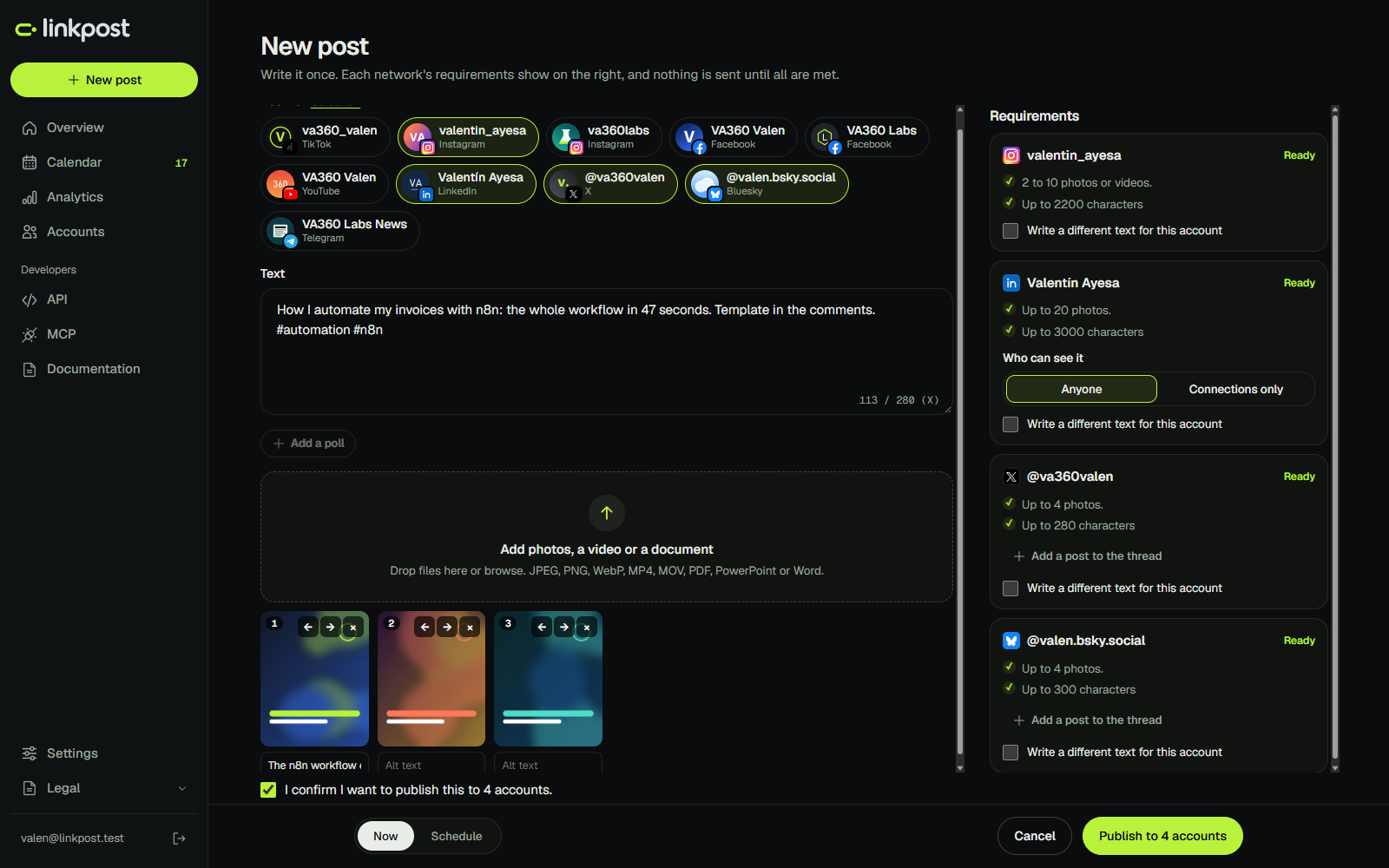
Write the post once, choose where it goes and when. Each network gets it in a format it takes.
Choose up to 25 accounts, write the post once, then publish it now or schedule it for later.
Each network's limits on text, files and video length are listed and checked as you write, before anything is sent.
Shorten it for X or add a title line for TikTok: any account can get its own text.
Describe each photo for screen readers, ask a question on X, LinkedIn or Telegram, or turn a long text into a thread on X and Bluesky.
The app and its documentation are in English, Spanish and Brazilian Portuguese.
Videos, Reels, stories, text, photos, carousels, documents, polls and threads, with each network's limits checked before anything is sent.
A TikTok account
A professional account
Pages you manage
A YouTube channel
Your personal profile
An X account
An account, with an app password
Channels you run, through our bot
Photo posts on TikTok are waiting for TikTok to certify Linkpost. Until TikTok approves Linkpost's audit, videos you post to your TikTok profile are private, and YouTube keeps uploads private until it approves Linkpost.
Everything you publish, from the composer, the API or your AI assistant, lands in the same calendar, overview and reports.
Calendar
See every post by month, week or list, filter by network and status, and drag a scheduled post to another day. Times follow your time zone.
Calendar guide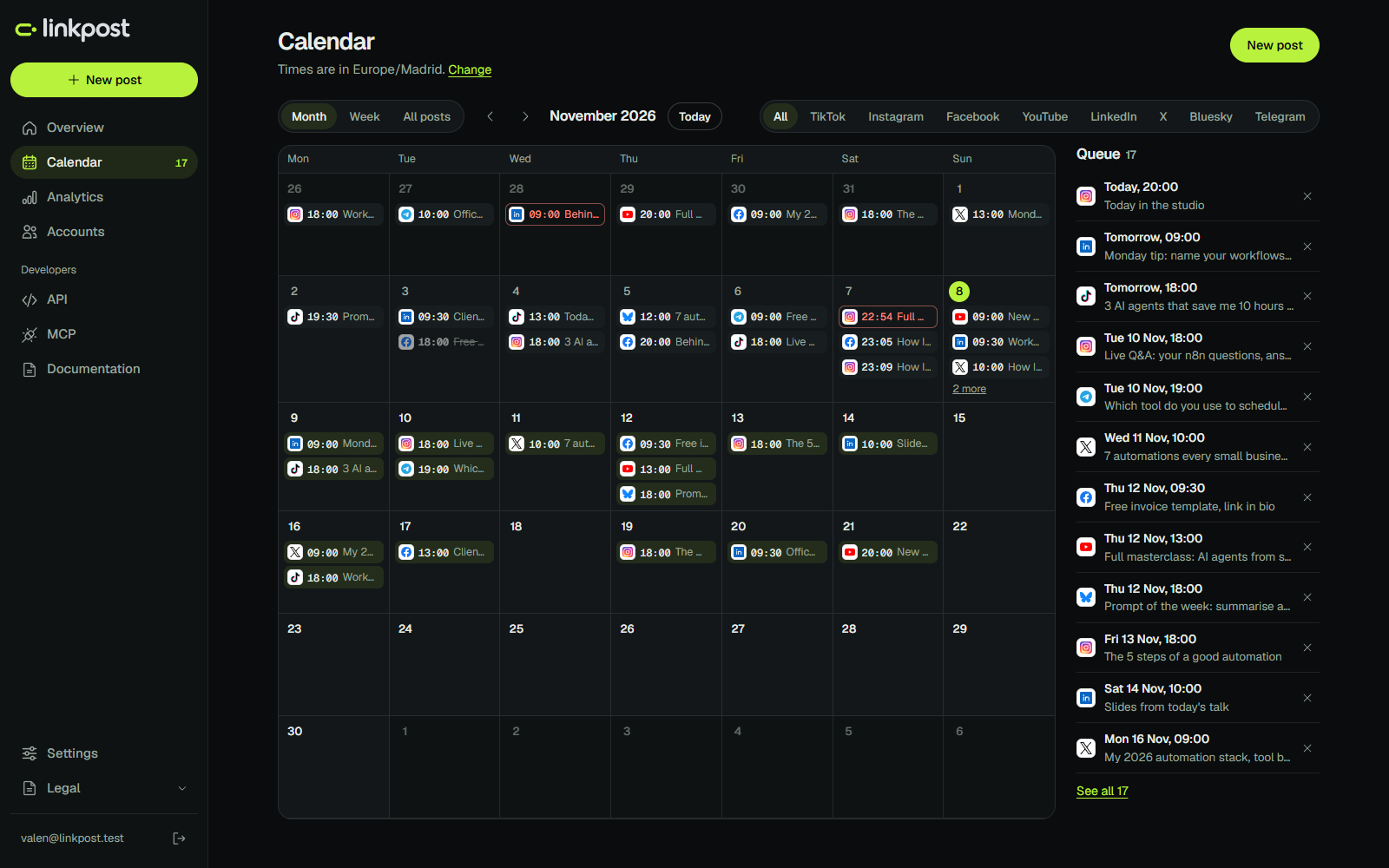
Overview
What is coming this week, what went out and what failed. Retry a failed post or edit it and send it again, and add widgets you can drag anywhere.
Overview guide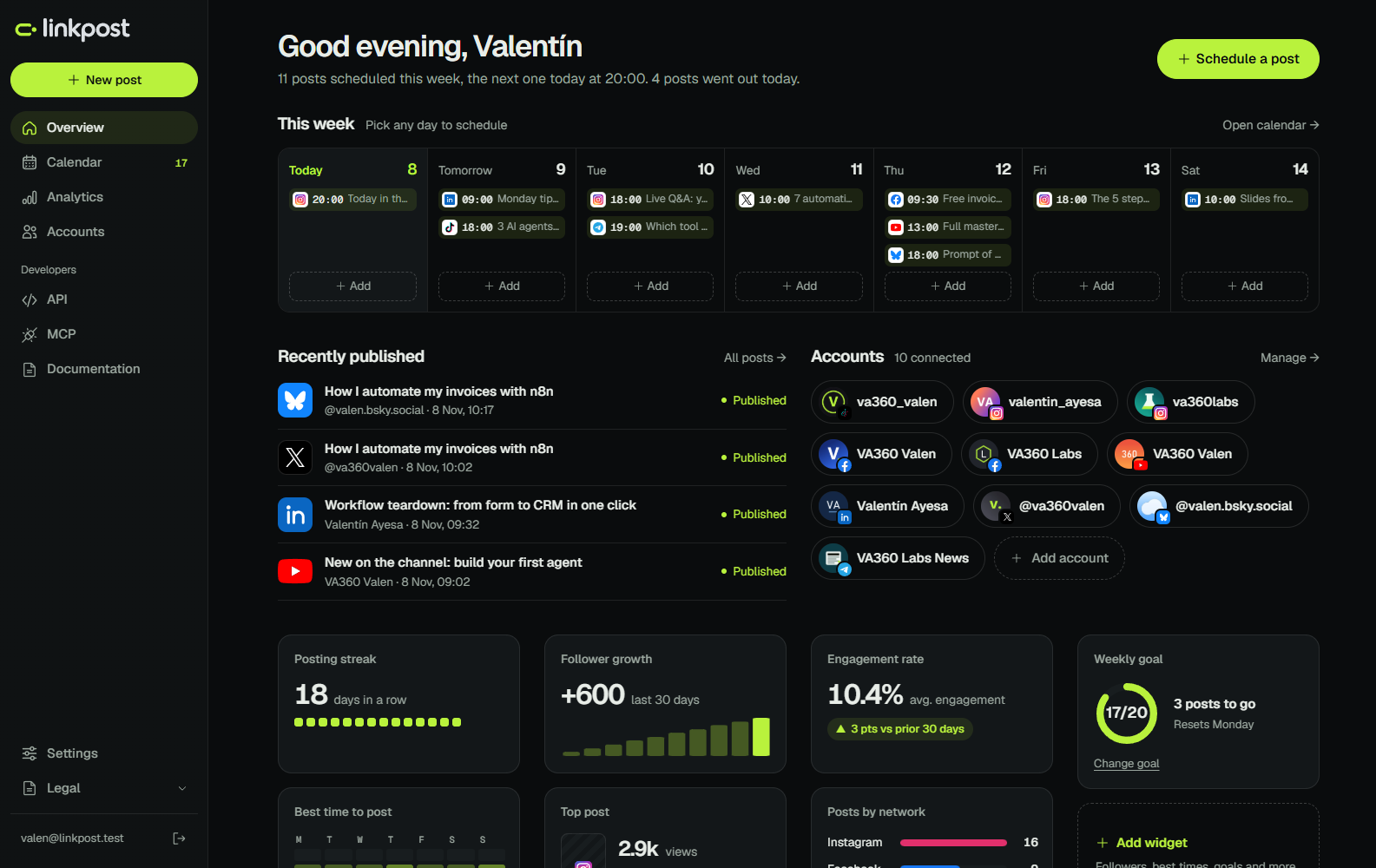
Analytics
Start from a template, or tell the copilot in your own words what you want to follow and it builds the report. Each report covers the accounts you choose.
Analytics guide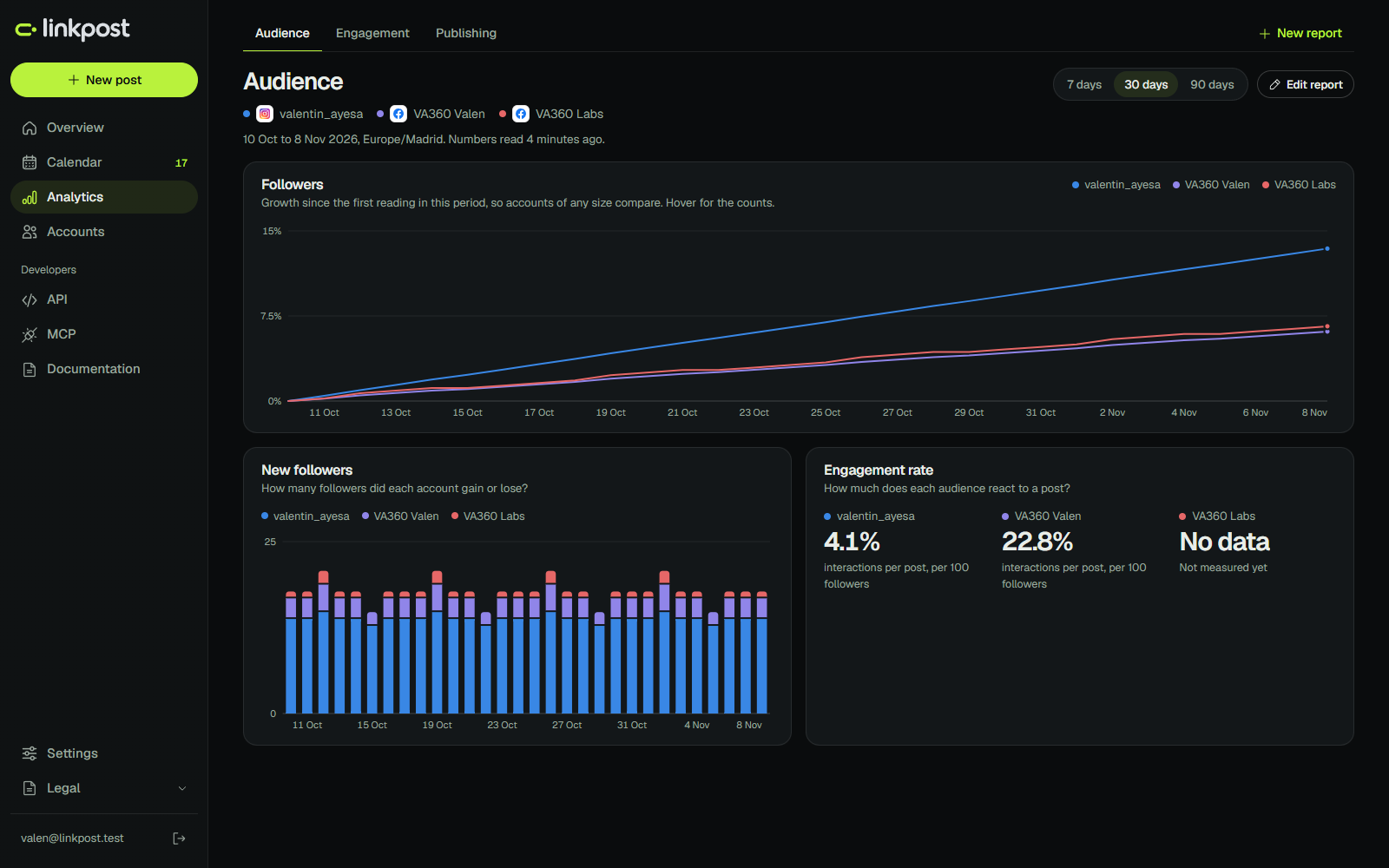
Accounts
You approve access on each network's own screen, or add our bot to a Telegram channel. Tokens are encrypted and renewed where the network allows, and Linkpost tells you when an account needs reconnecting.
Accounts guide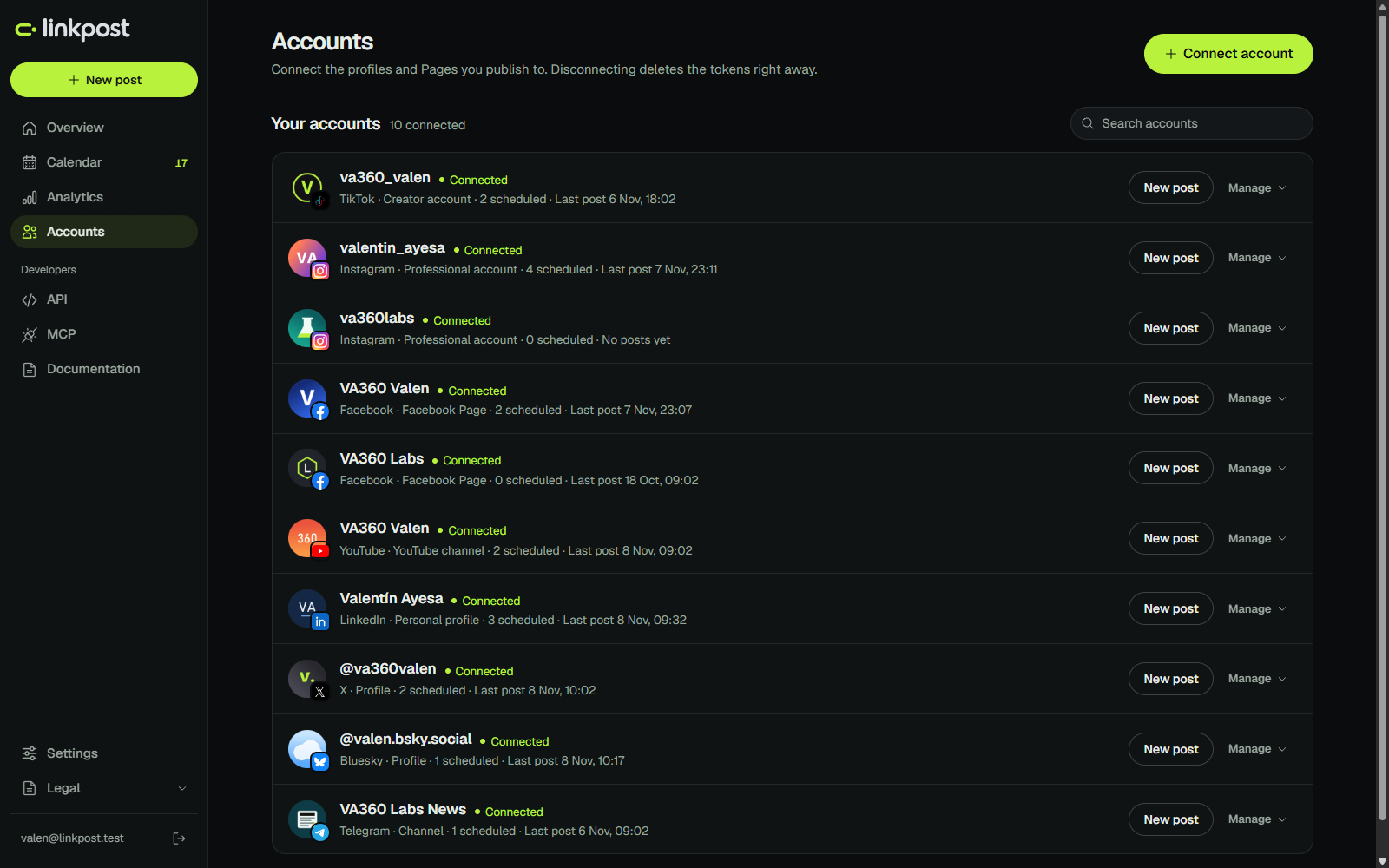
You send the media and caption once. Linkpost handles OAuth, upload chunking, format limits and platform quirks.
The API and MCP server run the same checks as the app, so an invalid post is refused before anything is stored.
Videos, Reels, stories, text, photos, carousels, documents, polls and threads. GET /api/v1/accounts tells you what each account takes.
Queued, processing, published or failed: read the status of each post from the API, and retry a failed one with a single call.
curl https://linkpost.app/api/v1/posts \
  -H "Authorization: Bearer $LINKPOST_API_KEY" \
  -F account_id=12 \
  -F format=reel \
  -F media=@clip-final.mp4 \
  -F title="Lo que nadie te cuenta del primer mes." \
  -F scheduled_at=2026-12-12T09:00:00+01:00 \
  -F consent=1
import { openAsBlob } from "node:fs";
const form = new FormData();
form.set("account_id", "12");
form.set("format", "reel");
form.set("media", await openAsBlob("clip-final.mp4", { type: "video/mp4" }), "clip-final.mp4");
form.set("title", "Lo que nadie te cuenta del primer mes.");
form.set("scheduled_at", "2026-12-12T09:00:00+01:00");
form.set("consent", "1");
const res = await fetch("https://linkpost.app/api/v1/posts", {
method: "POST",
headers: { Authorization: `Bearer ${process.env.LINKPOST_API_KEY}` },
body: form,
});
const post = await res.json();import os, requests
with open("clip-final.mp4", "rb") as media:
res = requests.post(
"https://linkpost.app/api/v1/posts",
headers={"Authorization": f"Bearer {os.environ['LINKPOST_API_KEY']}"},
data={
"account_id": 12,
"format": "reel",
"title": "Lo que nadie te cuenta del primer mes.",
"scheduled_at": "2026-12-12T09:00:00+01:00",
"consent": 1,
},
files={"media": media},
)
post = res.json(){
"mcpServers": {
"linkpost": {
"url": "https://linkpost.app/mcp",
"headers": {
"Authorization": "Bearer ${LINKPOST_API_KEY}"
}
}
}
}{
"data": {
"id": "01JC8Z7Q4V3N6T2R9KXW5YH1DM",
"status": "scheduled",
"platform": "instagram",
"format": "reel",
"account_id": 12,
"scheduled_at": "2026-12-12T08:00:00Z"
}
}Connect each account from the app. You approve access on the network's own screen and come back.
Write the post in the composer or POST it to /api/v1/posts. Publish now or schedule it. On TikTok, post directly or send a draft.
Watch each post go from scheduled to published on the calendar or from the API. If a network refuses one, you see why.
Connect the hosted MCP server to Claude, Cursor, VS Code or your own agent, and your assistant gets tools to publish, schedule and follow posts. Your MCP client decides which actions need your approval.
Tools exposed in beta
publish_postlist_accountsget_tiktok_creator_infolist_postsget_post_statuscreate_uploadreschedule_postcancel_postEvery flow follows the TikTok and Meta content guidelines: explicit consent, visible previews, no hidden defaults.
How we use TikTokUsers see exactly what will be published, to which account, before anything is sent.
We request only the permissions each feature needs and explain each one in plain language.
Disconnect an account and its tokens are deleted. Platform-side revocation is honored immediately.
Platform data is never sold, used for advertising or used to train models.
Your account is free with 2 connected accounts and no limit on posts. Each extra account costs €2.99 a month, VAT included, and you only pay for the days it is connected. X works differently: you post with your own X app, and X bills you for its posts directly, at its own price.
2 connected accounts
No card and no time limit.
From your third account
VAT included
Each account you connect beyond the 2 free ones. You add a card when you connect it, and nothing is charged at that moment.
For example
Only on X
X charges for every post made through its API, and X sets and changes that price. We don't want to mark it up or bill it to you at the end of the month, so you post to X with your own X app: X bills you directly, and Linkpost charges nothing for X.
X sets the price of each post, and it can depend on what the post has, such as a link. Check the current prices in the X Developer Console.
Prices are in euros and include 21% Spanish VAT. Outside Spain the price is €2.47 a month without VAT, and you give your tax ID. You only add a card when you connect a third account. Founders get 5 free accounts and pay €1.49 a month for each extra one (€1.24 outside Spain, without VAT).
Yes, while the founder seats last. Sign up with your email address and confirm it: that takes one of the 1,000 founder seats, with 5 accounts free and no limit on posts. When the seats are gone, sign-up closes and you can request access.
TikTok, Instagram professional accounts, Facebook Pages, YouTube channels, your personal LinkedIn profile, X, Bluesky and Telegram channels.
Videos, Reels, stories, text, photos, carousels, documents on LinkedIn and Telegram, polls on X, LinkedIn and Telegram, and threads on X and Bluesky. Each network's limits are checked before anything is sent. Some formats are pending Meta and TikTok certification and are not available to every account yet.
Yes, but until TikTok approves the audit of our Content Posting API, what you post to your profile is private (only you can see it), and your TikTok account must be set to private. You can also send the video to your TikTok inbox as a draft and publish it from the TikTok app.
Your account is free with 2 connected accounts and no limit on posts. Each extra account costs €2.99 a month (VAT included), billed at the end of the month for the days it was connected. There are no plans or contracts: disconnect an account and its charge stops. X is the exception: you post with your own X app, X bills you for its posts directly, and Linkpost charges nothing for them. Founders get 5 free accounts and extra ones at €1.49.
Because X charges for every post made through its API, and X sets and changes that price. We don't want to mark it up or bill it to you at the end of the month. With your own X app, you buy credits in X's console, X bills you directly at its own price, you see every post you pay for and you decide how much to spend. Linkpost charges nothing for X.
No. If your billing country is not Spain, each extra account costs €2.47 a month with no VAT, and you give your tax ID with your billing details. Businesses in the EU use their EU VAT number.
No. Accounts connect through each network's official sign-in and we only hold encrypted tokens. Bluesky uses an app password that Linkpost trades for a session and never stores, and Telegram channels add our bot as an admin.
A hosted Model Context Protocol server that exposes publishing, scheduling and post status as tools for Claude, Cursor, VS Code and any MCP client that can send an API key.
The app and the documentation are in English, Spanish and Brazilian Portuguese, and each person picks their language in Settings. The REST API and the MCP server answer in English.
Linkpost is built and operated by VA360 Labs, S.L.
The first 1,000 people who sign up to Linkpost keep 5 accounts free and extra accounts at half price, for life.
1,000 founder seats
Signing up is free and asks for no card.
The founder plan is closed and does not come back. You can still request access to Linkpost.
Request access